Console
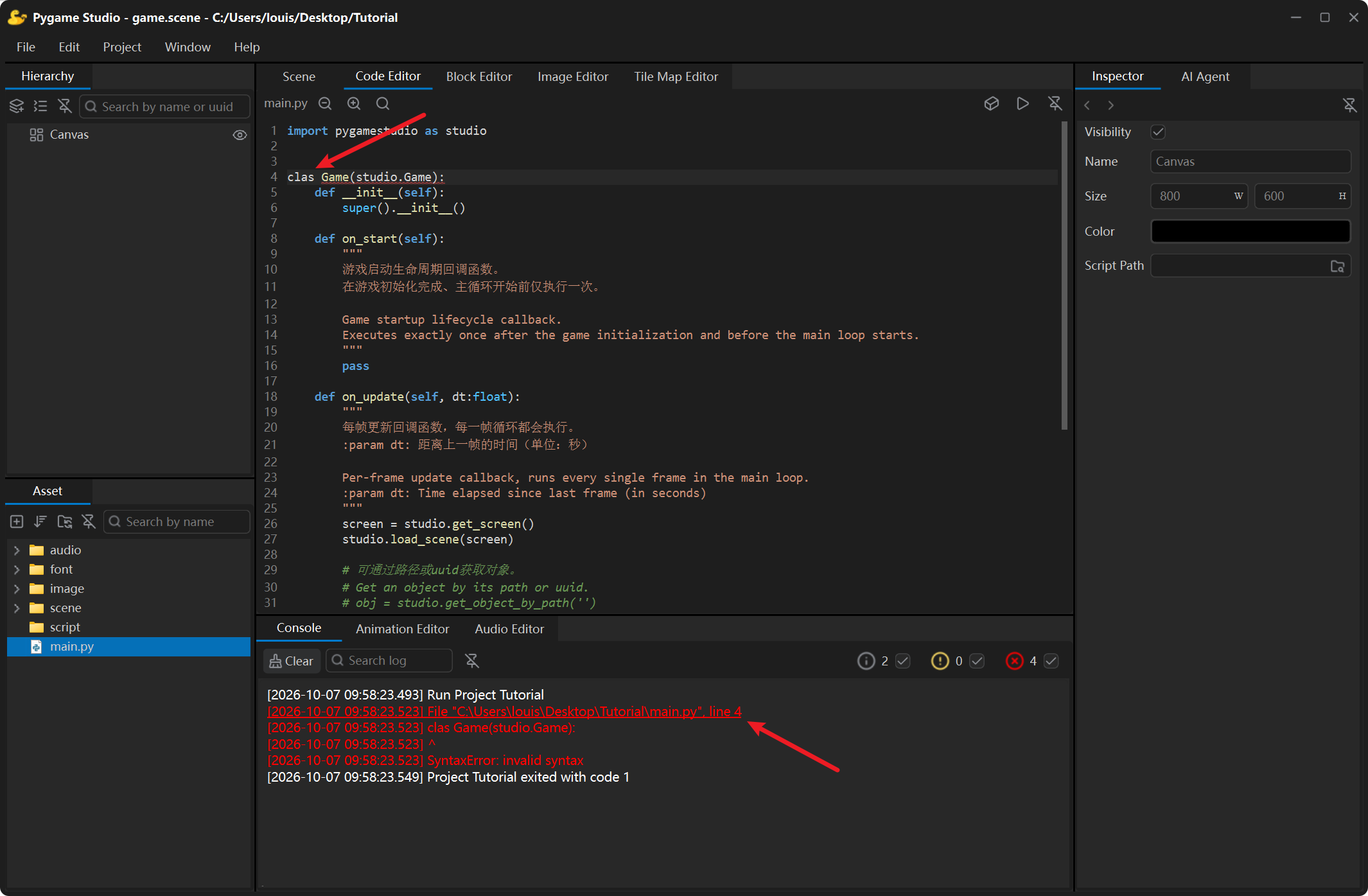
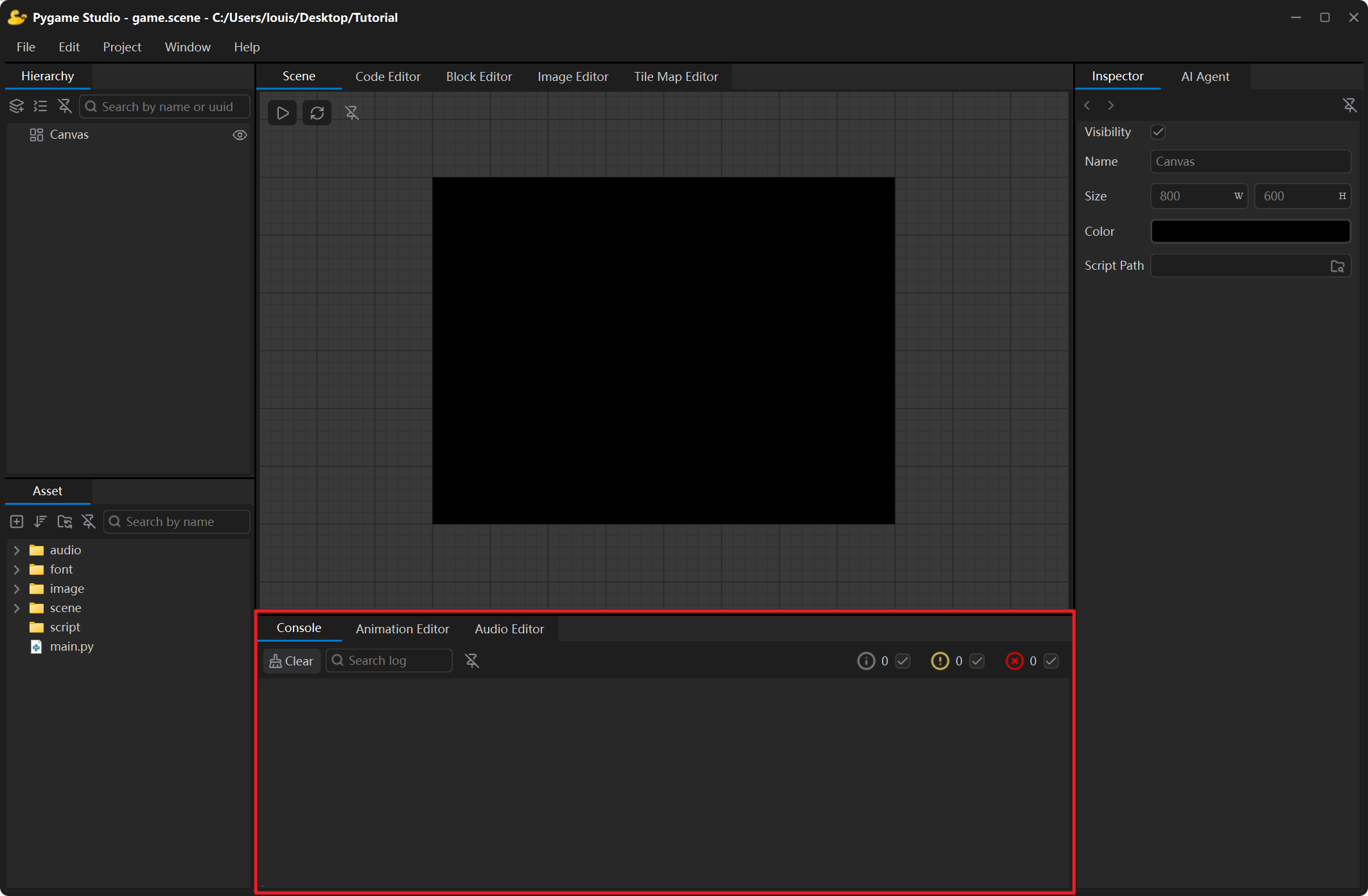
The Console at the bottom of the window shows the state of the editor and of the running game: project messages, script output, and any error raised at runtime.
Toolbar
Section titled “Toolbar”| Control | What it does |
|---|---|
| Clear | Empties the log. |
| Search | Shows only the log lines that contain what you type. |
| Counters | The number of info, warning and error lines; click the checkbox next to a level to show or hide it in the log. |
| Detach | Floats the console in its own window; click the button again or close the window to dock it back. |
Jumping to the error
Section titled “Jumping to the error”Hover a log line that contains a file location — the line gets underlined, and Ctrl + click opens that file at that line in the Code Editor. This is the fastest way to get from an error to the offending code.