
Create a Project
This guide will walk you through creating, opening and importing projects in Pygame Studio.
Start to Create
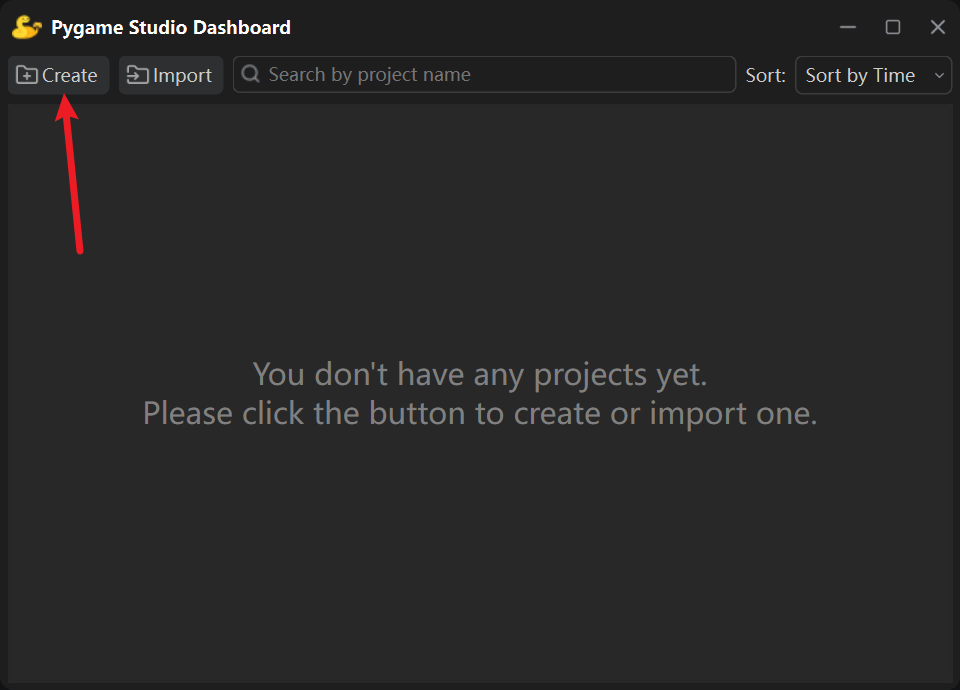
Section titled “Start to Create”Click the Create button in the upper-left corner of the Dashboard.
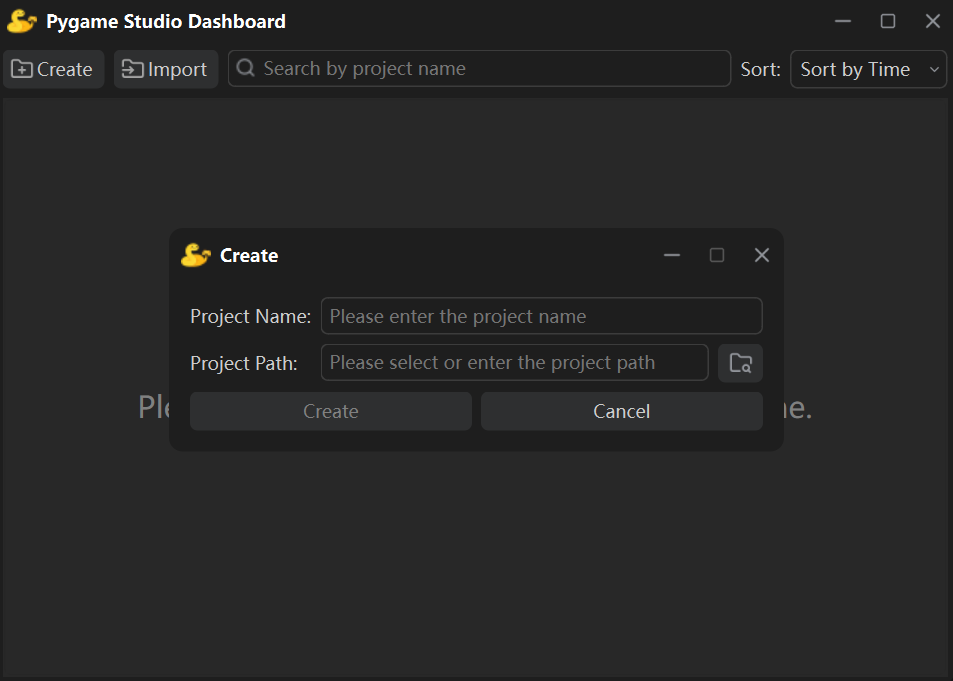
In the pop-up project creation dialog, enter the Project Name and select a Project Save Path.
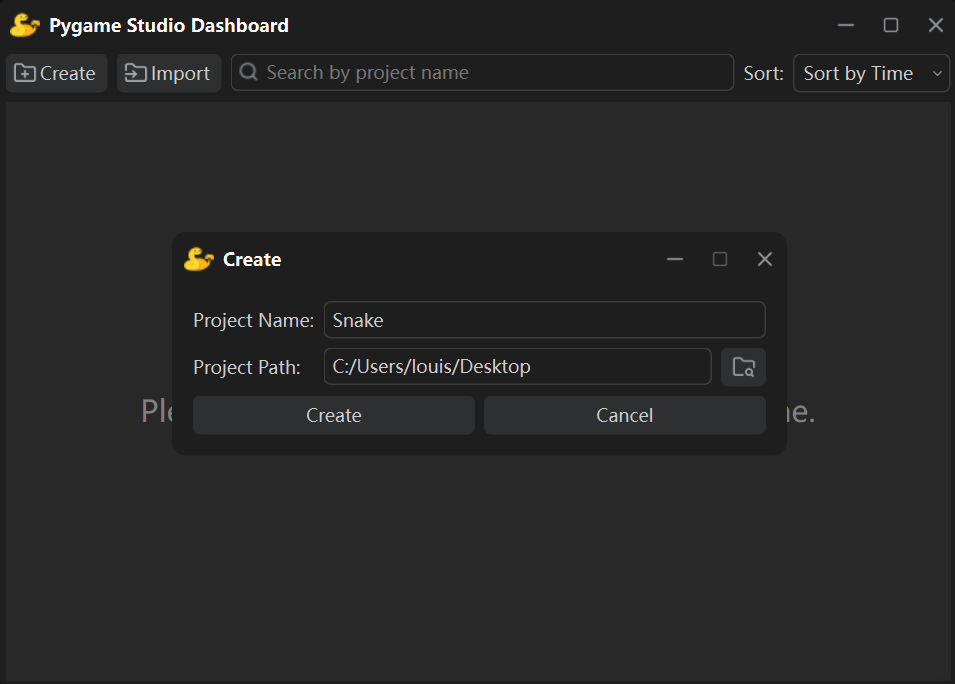
For example, name your project Snake and choose the desktop as the save path.
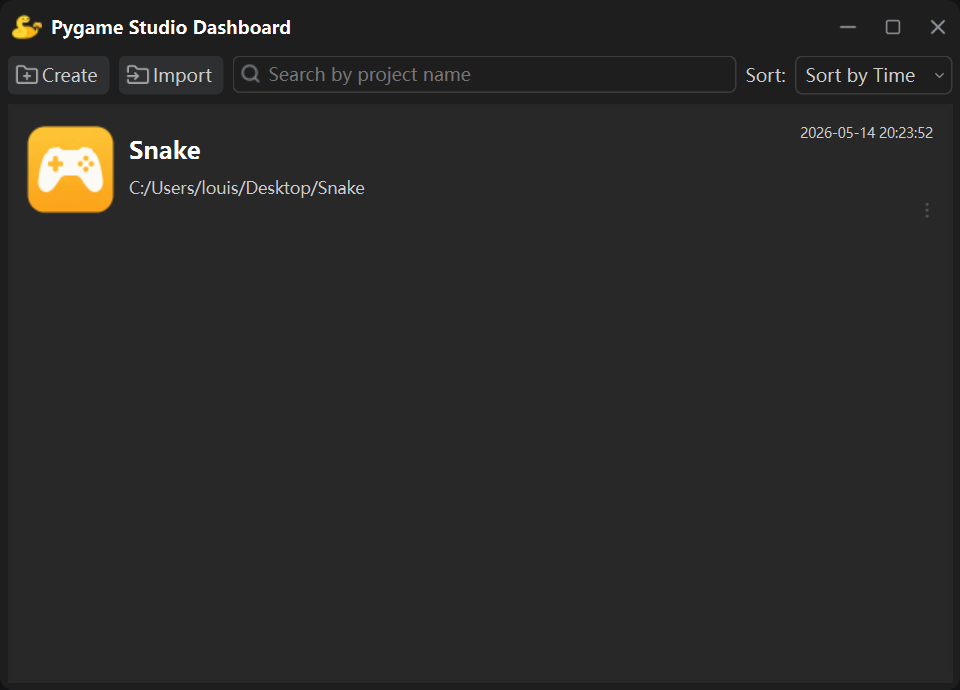
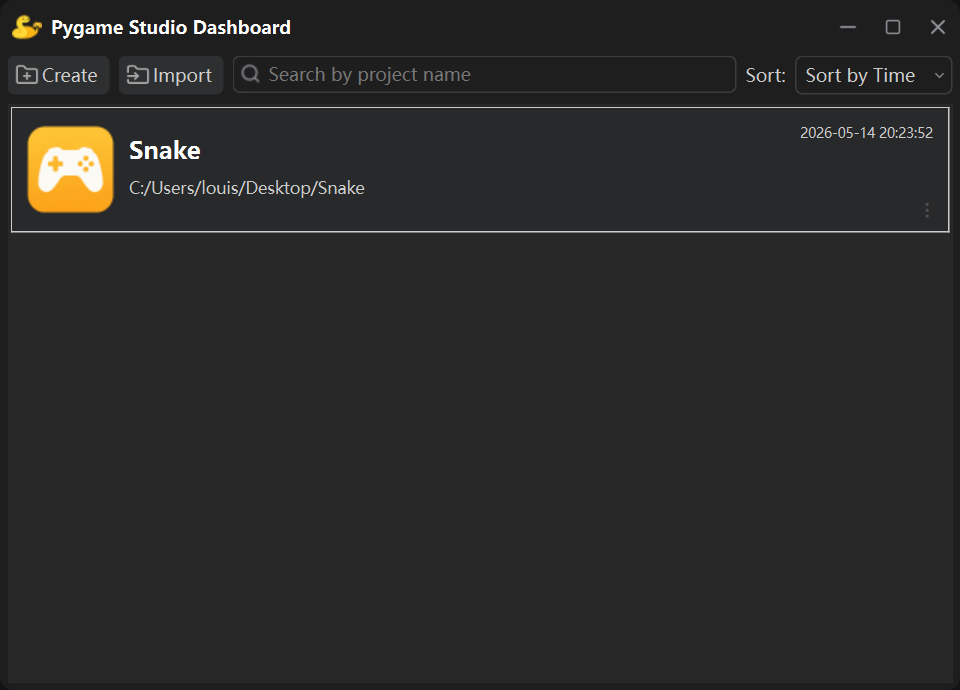
Click Create when finished. A new project will be generated and displayed in the project list.
Open a Project
Section titled “Open a Project”Double-click the project to open it and start editing in the editor.
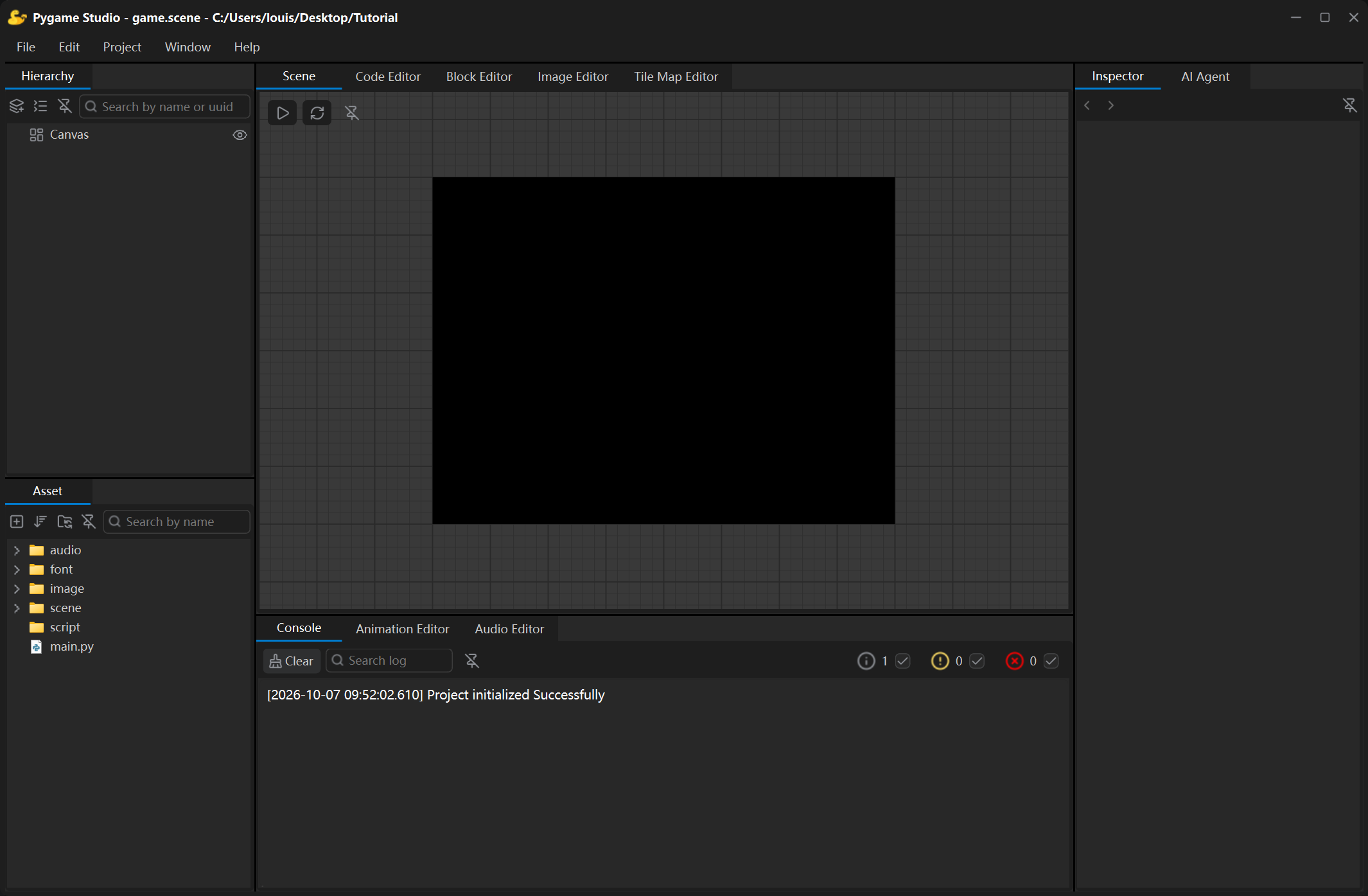
After entering the editor, the Asset Window is located at the bottom-left corner.
You can view the default initial files and folders of your new project here.
Import an Existing Project
Section titled “Import an Existing Project”You can also import local existing Pygame Studio projects.
Click the Import button on the Dashboard page.
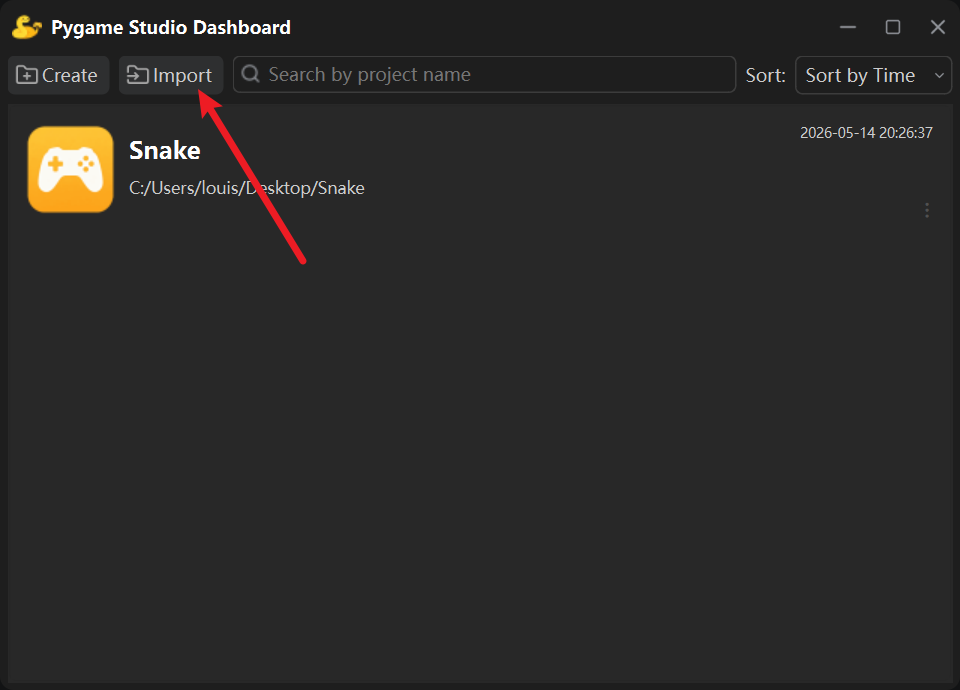
Select the local project folder to finish importing. The imported project will appear in the project list, and you can double-click to open it anytime.