Build the Game
When the game is finished, the Project → Build menu packs the whole project into a standalone desktop app or web app — or you can send the built folder directly to other players (they do not need to install Python at all).
Packaging a desktop app
Section titled “Packaging a desktop app”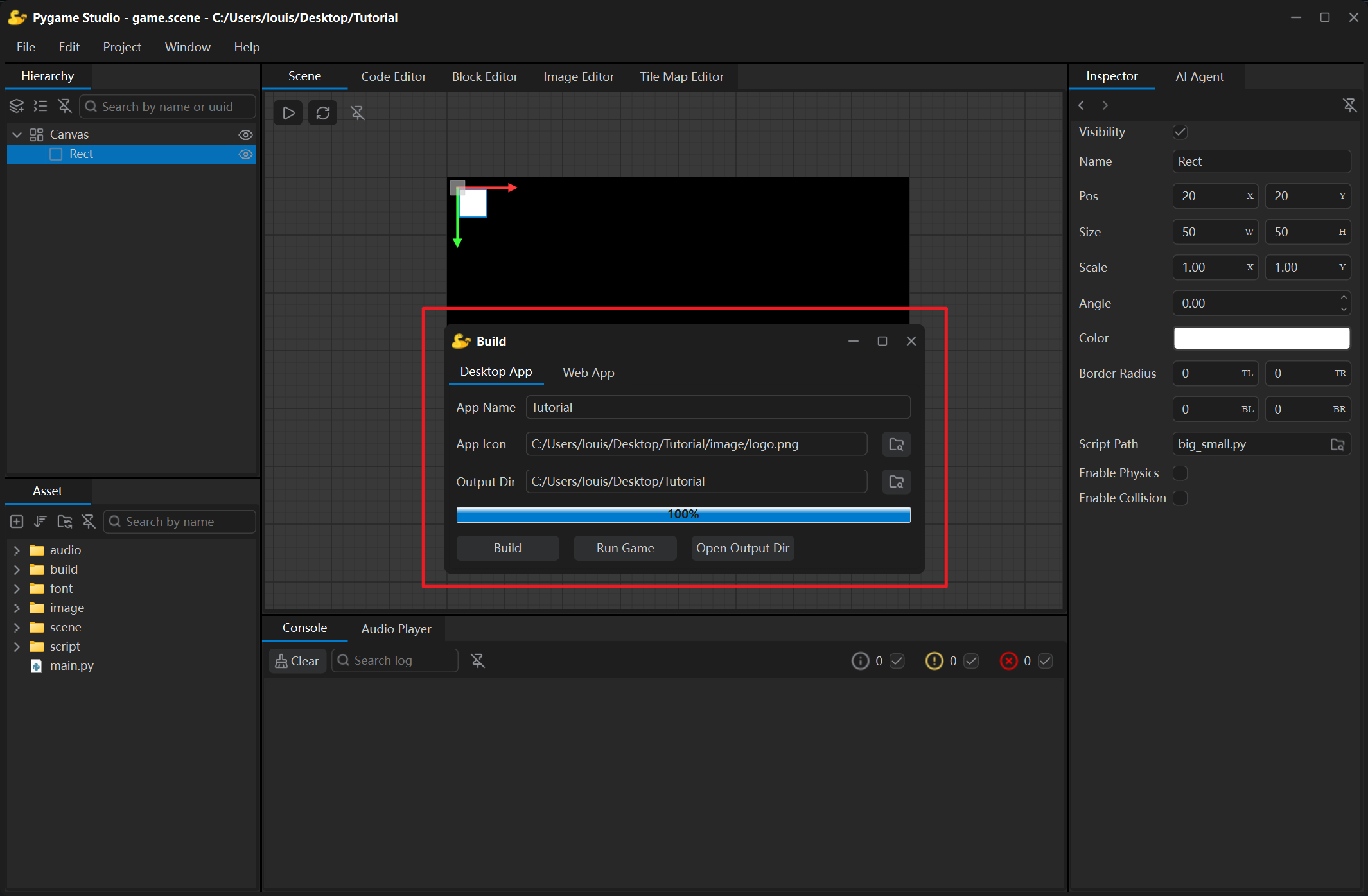
| Field | Meaning |
|---|---|
| App Name | Name of the executable and of its folder. Left empty, the project name is used. |
| App Icon | Icon of the application; supports .png, .ico and .icns, and defaults to the project’s image/logo.png. |
| Output Dir | Folder that receives the build; defaults to the project folder, and the result is written to its build/Windows/ subfolder. The final exe can be found in the build/Windows/dist/{application name} folder. |
| Build | Starts the build; while it runs the button text turns into Stop. |
| Run Game | Available after a successful build: starts the built executable as a separate process, so you can try it right away. |
| Open Output Dir | Opens the output folder in the file manager. |
These settings are saved in the project and filled in again automatically the next time the Build window is opened. Every build clears the cache and temporary files left behind by the previous build first — no manual cleanup needed.
Packaging a web app
Section titled “Packaging a web app”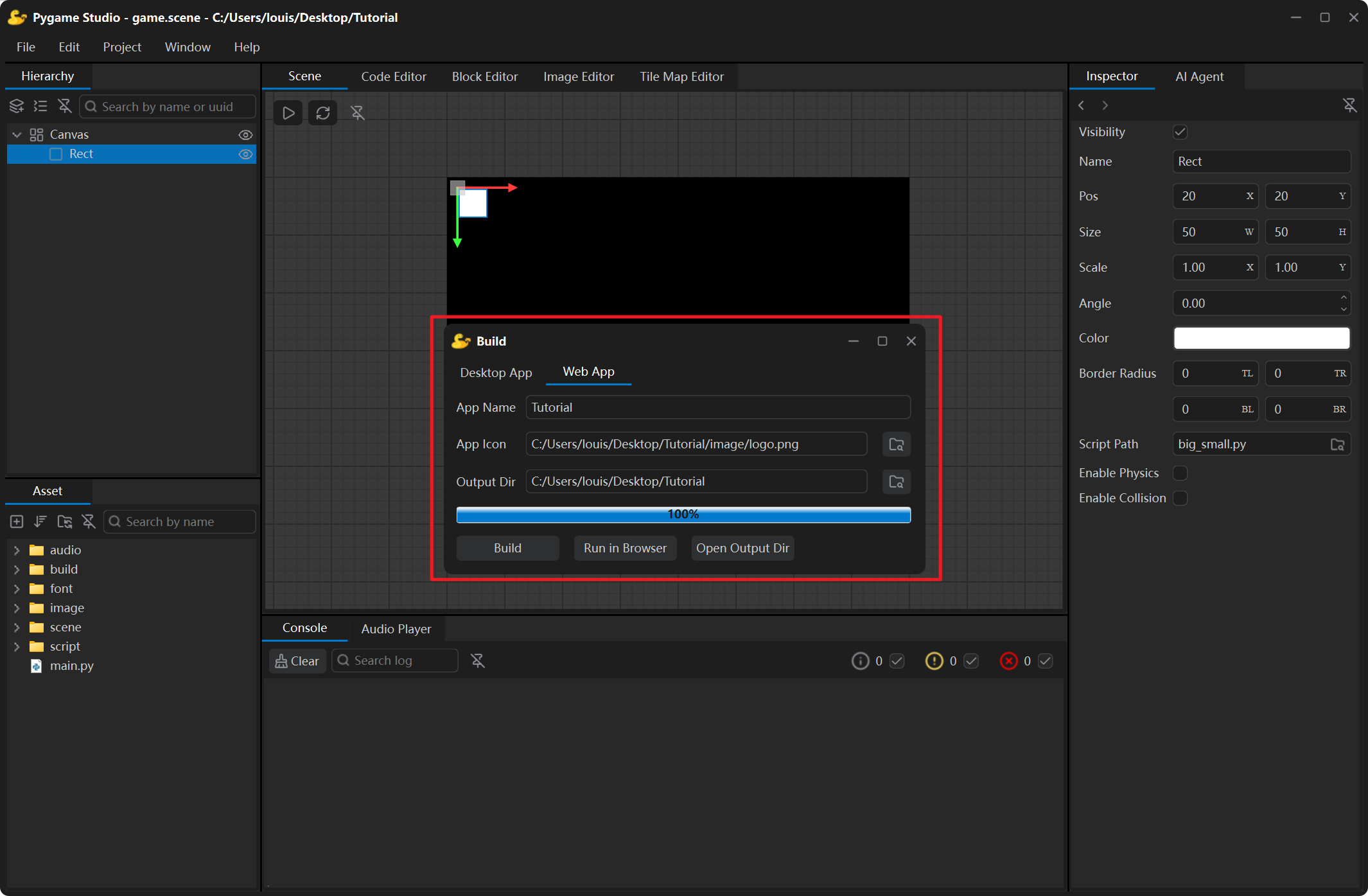
The Web App build packs the project into a tiny folder (index.html + game.zip) that plays right in any modern browser — the player does not need to install anything.
| Field | Meaning |
|---|---|
| App Name | The page title; defaults to the project folder name. |
| App Icon | The browser tab icon; defaults to the project’s image/logo.png and is converted to favicon.ico while building. |
| Output Dir | Defaults to the project folder; the result is written to its build/Web/ subfolder. |
| Build | Starts the build; while it runs the button text turns into Stop. |
| Run in Browser | Starts a local server for the output folder and opens the browser automatically. |
Upload index.html and game.zip to any static host (GitHub Pages, Netlify, an ordinary web server) to publish the game. Every control and the loading flow are described on the Build Window page.
When a build fails
Section titled “When a build fails”| Log line or dialog | Meaning |
|---|---|
| Failed to build the project. Please check the log. | Scroll the Console up to the first line starting with ERROR: — the failing step is described there. |
| The build completed but the executable was not found: …/dist | The build finished normally but produced no executable — usually the app name contains characters the file system does not accept. Choose a simple name and build again. |
| Modules that could not be found, skipped: … | A module the game imports is not installed in the Python environment that runs the editor. Install it and build again. |